Wednesday, March 9, 2016

CRM untuk PERGURUAN TINGGI

Have you wondered about what CRM for Higher Education offers and whether you need it for your educational institute?
You might if you:
  1. Have enquires coming from various sources and want to ensure effective follow-ups.
  2. Want to find out how many leads are getting converted in a month and how your admissions counsellors are performing.
  3. Are using hard copies or word or excel to manage leads or enquiries.
  4. Would like to have a better student or faculty feedback tracking OR trouble ticket management solution.
  5. Finding it difficult to maintain effective relationship with your alumni and corporate donors.
  6. Are not sure what was your return on investment for your marketing campaigns.
  7. Would like to have instant reports on campus wise fees collection.
  8. Want to better market your MDP programs and manage corporate relations.

If you are facing these problems then let us see how CRM for Higher Education can help you:
  1. CRM for Higher Education can automate lead and student management. SMS, Email campaign and Social Media campaigns can be organised and regular interaction can be managed from a single platform. This could help significantly shorten the admission life cycle process.
  1. CRM for Higher Education provides student and faculty self service portals that are integrated with your website. Faculty can login to view student feedback, voice their concerns and give feedback for improvement. Students can raise issues related to his/her course work, hostel facility, campus facility etc. This CRM ensures that such feedback and complaints are recorded and assigned & escalated to the right campus authorities.
  1. CRM for Higher Education system can also contribute towards effective alumni engagement by keeping record of previously graduated students and facilitate regular interaction with them. This will help an institute getting new admissions, donations, enhance industry connect and organize alumni interaction events by sending email alerts, social media notifications, SMS etc. through CRM.
  1. A complain management system can be integrated with social media platform and also via emails, calls and SMS. Regular updates via email, SMS, social media related to fee payments, regular course work, placement related opportunity, placement support, industrial training can be achieved through CRM for Higher Education.
  1. Institutes can provide access to the accounts department for fee management. CRM for Higher Education is essential for an institute with multiple campuses since it facilitates campus management.
  1. CRM for Higher Education can be used to maintain relationship with various external stakeholders for placements, corporates interested in MDP programs, financial institutes offering student loans and many others.
  1. CRM for Higher Education can make detailed reporting of all the financial investment that has been done for campaigns and various other aspects and can generate extensive report on the same.

SimpleCRM for Higher Education:
Starting at $10/user/month OR INR 700/user/month, SimpleCRM provides a comprehensive, scalable, enterprise CRM for Higher Education Institutes. Among other things, it helps to:
  • Track online enquiries, site-visits and follow-ups
  • Email & SMS campaigns to drive lead generation
  • Manage & Track enquiry-to-applicant-to-admission process
  • Call-Centre integration with popular Telephony solutions to enable 360° view pop-up of caller
  • Events triggered Email & SMS alerts to applicants/students
  • Integration with Social Media such as Facebook, Twitter, Google Adwords to capture leads directly into CRM
  • Run HelpDesk to capture and resolve student & faculty complaints.

Click ‘Schedule Demo’ button at top of the page to arrange for a free, comprehensive consulting and demo session of how SimpleCRM can help you grow!

What is Omni Channel Help Desk CRM?

What is Omni Channel Help Desk CRM? 

Say a company offers a great product or service, has a great lead generation engine and a crack sales team, who wins tons of new business every month. It has everything going for it in terms of customer acquisition but does not have a Help Desk CRM or Support Centre CRM. So the question becomes, are its customers experiencing a great customer service for the products or services purchased, are their issues and enquiries getting promptly addressed, are they satisfied after their purchase or are feeling buyer’s remorse? In short, is the company able to retain most of its customers after acquiring them?
A good support center or help desk crm allows you to interact with the customers who call in with problems or send emails to support@companyname.com. A better customer support crm will also provide a customer self-service portal where customers can log in to report (and track statuses of) their issues.
In today’s digital world there are additional ways in which a company can interact with or engage its customers:
  1. Website chat sessions – Organizations are increasingly offering chat support on their websites. If a customer is discussing his or her issues on the chat, those issues need to be tracked with equal priority as those reported by traditional support channels and the customers should get uniform support experience across all channels.
  1. Social Media like Facebook, Twitter – In some ways it’s good to have angry customers who call and yell at you. They are letting you know where your product or service is lacking and giving you an opportunity to address the problems and retain those customers. What you need to watch out for are those unsatisfied customers who don’t contact you and either silently switch over to competing products/services and bad mouth about your product or services, often in social media. Luckily, the best support center solutions make it possible to automatically monitor your company Facebook page posts or Twitter handles of your customers (or specific Twitter hashtags) and get alerted in form of tickets or cases when certain pre-defined keywords are mentioned on Facebook posts or Tweets. And once a ticket or case is created in your CRM, the usual customer support processes kick-in. It is even possible to respond from within your CRM directly to Facebook or Twitter posts.
  1. Depending on your situation, there could be other sources of capturing customer problems and creating tickets to track them. Some organizations have outsourced L1 support operation and they may get tickets in form of a daily excel/csv file or through direct integration with their outsourced service providers systems.

Good so far?

So Omni Channel Help Desk CRM solution allows servicing customers over all possible channels, consolidates communication in one central place and provides a consistent customer support experience.
Right, we couldn’t have summarized it better!

Now once the tickets or cases are captured in the CRM from various sources, the next important aspect is handling tickets assignments. Here a good help desk crm provides rules based ticket routing that includes:
  1. Round Robin – Automatic ticket assignments one by one to the support team.
  2. Least Busy – Assigning ticket to the CSR having least number of open tickets in his/her bucket.
  3. Location Based – Assigning ticket to the CSR based on geographic proximity of customer and CSR
  4. Skills Based – Assigning tickets to CSR based on their skill-sets with the product or service the customer is complaining about.
  5. Priority Customers Based – Assigning tickets to most senior CSRs for ‘Category A’ customers.

Another important aspect is ticket escalation and enforcing SLAs. Good support center crm solutions offer ability to define escalation rules setting capability where you can define:
  1. When an escalation should be triggered – for example, escalate an urgent ticket within 4 hours, a high-priority ticket in 8 hours, a medium-priority ticket in 12 hours and so on.
  2. Who should be notified – CSR, CSRs reporting manager, other members of the support team, Support Centre Head, etc.
  3. What action should be taken – for example, re-assign the ticket to another CSR, do nothing, etc.

Ok understood. Now I suppose it is time for you to make your pitch?
Er..yes. As a comprehensive CRM solution, SimpleCRM provides a fantastic omni channel help desk crm or support centre crm capability that is pre-integrated with several popular call-center solutions. We offer both On-Premise and Cloud deployment models. Our cloud offering is hosted out of our secure Amazon Web Services (AWS) and IBM cloud servers.

Forrester's Top CRM Trends For 2015

Forrester's Top CRM Trends For 2015
Trend 1
CRM is ripe for fragmentation. CRM technologies are 20 years old, and today much of core sales, marketing, and customer service capabilities are commoditized. CRM solutions today are chock-full of bloated features and functions which are rarely used to their full extent. We predict the demise of this category. CRM will fragment to better support end-to-end business processes. There will be a much deeper alignment between sales and marketing CRM to support lead-to-revenue management processes. Customer service CRM solutions will converge with workforce optimization and queuing and routing technologies to better support the end customer and more effectively manage agent workloads. 
Trend 2
Companies will operationalize insights from connected devices. Today, with ubiquitous connectivity, connected devices are expected to proliferate at a rate of 50 billion by 2020. We predict that insights derivedfrom the web of connected devices (the Internet of Things, or IoT) be more greatly leveraged within CRM to offer  deeply personalized engagement delivered in context, better planning and anticipation of future customer needs, proactive, and even pre-empitive service with faster resolution, lower costs in times of failure and better customer satisfaction. 
Trend 3
Companies will leverage insights for relevant experiences. Insights derived from customers and interaction data captured in CRM can be used to deliver relevant customer experiences across their life cycle. Insights from mobile data — like location — create phenomenal insights about a customer's environment. For example, doctors in Africa link malaria medication supplies to location data, while retailers are looking at melding online and in-store experiences with deeply personalized service. We predict that companies will use insights from CRM data to acquire more profitable customers through better targeting, to reduce the cost of acquisition in the early stages of the relationship, to cross- and upsell to the right customers, and to increase wallet share through loyalty, retention, and recovery programs. They will support these activities through various analytical solutions deployed across the customer life cycle. 
Trend 4
SaaS CRM is here to stay. After years of hype, discussion, and gradual enterprise adoption, the market for CRM SaaS is here to stay. Companies look to replace legacy CRM with SaaS solutions today at a higher rate than  ever before. SaaS CRM has gained traction as it provides lower upfront costs, better flexibility, and faster time-to-value compared with traditional on-premises applications. To be successful, organizations must focus on lightweight, agile governance processes where technology management creates rules and guidelines for SaaS usage, but leaves the selection and management of the SaaS CRM application primarily to the business user.
Source:
http://blogs.forrester.com/kate_leggett/15-02-01-forresters_top_crm_trends_for_2015


Saturday, July 25, 2015

Mengapa implementasi CRM rendah ?


In my previous post, I examined the importance of managing your sales activity instead of your pipeline -- delving into the impact that data and accurate forecasting have on sales. And I was gratified to receive a reaction from reader Roger Brennan, who addressed what is arguably the biggest challenge facing today’s sales force: CRM user adoption.
“How do we address the challenge of [the] lack of user adoption among a team of reps?" Brennan wrote. "Without consistent usage of a CRM [customer relationship management system] by a rep to update information, we end up with a ‘garbage in, garbage out’ scenario.”
Great question, Roger. And you’re probably not the only one looking for an answer.
This article, then, lays out the reasons CRM user adoption is low, and offers tips on how to ensure your reps actually make the most out of your CRM.

The challenge: time and data 

CRM systems are extremely user-centric and driven solely by the people who use them. That said, these systems are effective only if used . . . properly. As I always say, manually entering data into a CRM is time consuming, and sales reps would rather spend time on selling or strategy instead of data entry. Of course they feel that way! They’re in sales and want to make money, and that’s what you're paying them to do.
But there’s a greater impact to low utilization of CRM than the unproductive time it takes to update records. What about the data itself? A CRM system is useless without the data inside it, or if that data is not reliable, comprehensive or accurate. In sales, things are constantly moving, and as mentioned, entering sales activity into a CRM isn’t usually the first thing on a rep’s mind after a meeting or call with a prospect.  
Because of this, it's a significant understatement to say that reps don’t always input their activity -- i.e., calls made, appointments set, notes from calls, etc. -- in a timely manner. When they do input their activity, their comments are often very general and optimistic (e.g., "Great call with Bob, follow-up next week").
So the data that does make its way into a CRM by reps is almost always speculative and outdated. The result is an inaccurate pipeline that fails to represent reality. 
This then creates a Pandora’s Box of challenges for managers, executives and reps. To start with, inaccurate or incomplete data reduces sales managers’ ability to manage team performance because they don’t know which activities result in desired outcomes, or which deals are really going to close, as opposed to which still require heavy lifting.
Managers can’t manage based on subjective probabilities; they need actual, accurate activity to benchmark and manage to a standard.
Lack of reliable CRM data also creates a significant gap between what Sales is doing and what executives are seeing. These types of indefinite estimates and forecasts can diminish executives’ confidence in sales leaders, and lead to mismatched expectations. This is the “garbage data in, garbage results out” Brennan referred to.
According to a recent report from Accenture, "Powering Profitable Sales Growth -- Five Imperatives," the adoption of tablet devices by sales representatives has increased by 400 percent in the past year, but their use is often limited to checking email and conducting administrative tasks, rather than leveraging them to fulfill strategic business needs. Yikes!

User adoption andautomatic data capture -- a win-win for all  

Clearly, CRM systems have become an integral component in sales. They house all the data, which -- if it’s accurate -- managers can rely on to forecast, train and measure performance. User adoption shouldn’t be an issue when keeping in mind the benefits the system provides. But, the reality is, it is.
To ensure that your reps properly use your CRM, here are a few tips to instill across your teams:
  • Simplicity and automation:  Make data-capture effortless, and usability a key part of sales on-boarding and training.
  • Senior management buy-in:  Stress how and why using the CRM helps reps sell more easily and effectively, which in turn leads to more money in their pockets.
  • Focus on behaviors of top performers: Understand the strategies of your reps early on and continue to obtain feedback from them on what’s working/not working/
Valuable data is out there, and it can be captured automatically for reps, eliminating their need to manually enter activity into a CRM. In addition, technologies such as speech recordings and analytics, which monitor the number of dialings made, the sales conversations and the outcomes, can match call activity with accounts in the CRM.
This is especially important for dispersed sales teams that rely on the phone for selling.
In the end, the name of the game is keeping the lines of communication open between managers and reps. Any evaluation of a CRM system must include a way of capturing this information reliably and accurately, with minimal rep work. Otherwise, that evaluation defeats the purpose of what the CRM was intended to provide the rep in the first place -- enhanced productivity -- and to provide the executive -- accurate, reliable forecasting and resource planning.
How is your organization addressing CRM-user adoption?

Tuesday, July 7, 2015

5 Penyebab kegagalan implementasi CRM


pitfalls_crmlaura_blogC-levels and managers  are usually the first to understand the value that comes from having a unified customer view. They’ve developed ways to manage customer relationships by using Rolodexes, spreadsheets, or a pen and paper. But, it wasn’t until the late 1980’s when businesses started moving from a physical Rolodex to a more sophisticated “digital Rolodex.”
Enter CRM systems.
Using a Rolodex or a spreadsheet to manage customer relationships often lacked the strategy needed to build long-term relationships. When CRM systems were introduced, they provided businesses with a long-term strategy to proactively engage and manage customer relationships, close more deals and automate recurring tasks.  
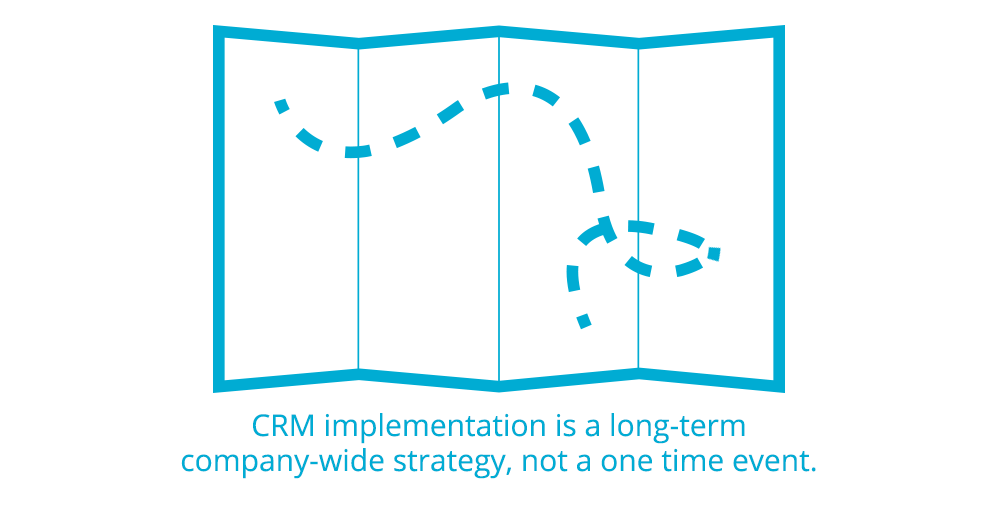
One common misinterpretation of a CRM system implementation is that it’s seen as a one-time event and that upon purchasing the software license, all broken sales processes, lost leads and lack of follow through will be repaired. While a CRM system is designed to support your sales process, it will not, by itself, cause your business to grow. This is why you should treat your CRM implementation as a long-term, company-wide strategy and not as a one time event.
While C-levels and managers have the best intentions, CRM strategies often fail in the beginning of implementation. But why?
Here are 5 pitfalls you can avoid while developing your CRM strategy.  
1. Failure to See the Problem 
Recognizing you have a problem is the first step. I know, you’ve heard that before. But this time, I’m referring to the problem in your sales cycle. Maybe you don’t even know you have a problem. CRM strategy starts before you choose the right CRM system.
Crm Strategy
  1. How do you manage all of the touch points your potential customer has with your business?
  2. How much time do you waste sifting through emails, call records and the scribbles in your notepad trying to remember when you last spoke to a customer?
  3. Who is in your sales pipeline and how much revenue can you expect next month?  
If you’re not sure how to answer those questions, there’s a good chance you have a problem in your sales cycle. After all, no one is perfect. It’s OK! CRM systems are designed to support you and make your work life easier to manage. So, recognize the problem and own it. The good news is there’s a solution. 
2. Failure to buy in to the value of CRMCommunication is key (when is it not?) in this situation. As a C-level exec or manager, make sure that you understand the value a CRM system has for your business. Once you understand this value, communicate the big picture and the value to everyone in your organization.  I say “everyone” because each employee is a puzzle piece that fits into the bigger picture of your business growth. Providing context of how your CRM will support these roles (especially sales), will help your employees buy-in to your CRM strategy.
CRM strategy
Help your team buy into the value of CRM by answering these questions:
  1. How does a CRM system support our business growth strategy?
  2. How will a CRM system provide value to a) each team and b) the entire organization?
  3. How will a CRM system provide context to each of your existing processes? 
Keep in mind that your sales team will need some extra attention during this transition. The last thing you want them to think is that you’re adding another mundane task to their already busy day.   
You’ll gain buy-in from your experienced sales professionals by providing context of how a CRM system is designed to take tedious tasks and errors out of their way, so they can focus on closing more deals.
3. Failure to Communicate Goals Before ImplementationTransitions open a door for misunderstandings, frustrations and loss of motivation. As a C-level exec or manager, set expectations from the beginning. Even if your goals are a bit unclear at the moment, give your team an idea of where you want to go and how the CRM system is going to be a process to get you there.  Again, a CRM system is an ongoing strategy to help your team close more deals, so your business can grow.
CRM Strategy
Keep your team motivated by answering these questions:
  1. Why are you implementing a CRM system?
  2. How does the upper management team expect CRM to support individual roles?
  3. What processes are already in place and how can a CRM system provide context to these processes? 
4. Failure to Have Ongoing Executive SupportDon’t be the executive that has one meeting with your staff and then disappears.  Be present and involved in the integration process. You’re not giving your employees a new process, you’re integrating a system into their already existing processes. Your employees trust you (if they don’t, then make sure you read this post on how to build trust in your team.) Be proactive in keeping your team accountable for integrating their processes with your CRM system.
CRM strategy
Keep your team in the know by:
  1. Regularly communicating how your employees are integrating CRM into their processes
  2. Scheduling individual meetings with employees and ask for their input on improving existing processes with the CRM system
  3. Holding your team leaders accountable for supporting your long-term strategy through integration of your CRM system
5. Failure to have a Strategy in PlaceIt’s easy to say “Yes, we need a CRM system.” It’s harder to say, “We need a CRM system and this is our strategy.”
Maybe you’ve deployed your CRM system and can check off all the important items. You’ve created roles and profiles, migrated the correct data, setup workflow automation, put webforms on your website, setup lead assignment rules and scheduled your sales pipeline reports.
What? You even integrated your Google AdWords account? Wow! You’re on top of it!
Now comes the challenge of getting your team to use it. Uh oh. You didn’t think about that part. You thought your job was done, didn’t you? 
Setting up your CRM and deploying it, is just step one of your strategy. Your CRM implementation needs to continue after deployment. Remember, it’s a long-term strategy.
CRM strategy
Answering these questions will help make your strategy a long-term process: 
  1. How are your teams going to use the CRM on a day-to-day basis?
  2. How will your CRM system support your current sales, marketing and customer support processes?
  3. How will your sales team be held accountable for updating data on a regular basis?
  4. How will new employees be trained on your CRM system?
  5. What ongoing CRM training will you make available to your team?
A successful CRM strategy includes development of a company culture where your customers are at the center of your business. Be consistent with your goals and strategy, and let your CRM system support your business growth

Saturday, July 4, 2015

Kegunaan Modul Pricebooks di VtigerCRM


In this blog we will be explaining the functionalities behind Price Books.
Price books are required to allow provision of differentiated price lists for different customer groups.
As per your requirement you can vary your selling prices to customers, based on various criteria, such as special offers, preferred customer pricing, bulk discounts and so on.
In our example, there are two price formats – the base unit price, which is a fixed price decided by manufacturer, or a list price which is usually the ‘Recommended Selling Price’ – it may vary according to the manufacturer’s understanding with the reseller.
If you want to add a Price Book manually, it can be done in two ways.
By clicking on [+] icon, or, by clicking on the ‘Quick Create’ dropdown, then selecting ‘Price Book’.
Pricebook_1

Ensure that you complete the mandatory and / or required fields, and then click on the Save button. (As shown in the below image)
Pricebook_2

Once you have clicked Save, and it has been successful, you will now see it displayed in the list of view of the Price Book homepage.  If you enter into your respective Price Book it is easily visible that products are under the ‘More Information’ tab;
Click on it, and select the product as show in the following snapshot:
pricebook_3

Select the product and define the list price accordingly. You can also select multiple products at one single time, and then click on add to price book.
pricebook_4
Finally, confirm your related products, or services are linked to the Price Books record by clicking on the book symbol for the product in your quotes, invoice etc. (as mentioned in the below image).
pricebook_5
So this blog teaches you how to work with the Price Book module.